com.sec.epdg is a legitimate Samsung system process responsible for managing WiFi Calling on your device. It is not malware. It establishes a secure IPsec tunnel between your phone and your mobile carrier’s network when you make calls or use data over a WiFi connection instead of a cellular signal. It runs silently in the background and is a standard component on Samsung Android devices worldwide.
What com.sec.epdg Stands For
The package name has two parts. “com.sec” is Samsung Electronics Company’s reserved namespace for its own system-level Android services. “epdg” stands for Evolved Packet Data Gateway — a network node defined by the 3GPP standards body in specification TS 23.402 as part of the LTE Evolved Packet Core architecture.
So com.sec.epdg is literally Samsung’s client-side implementation of the ePDG protocol stack — the software on your handset that communicates with your carrier’s ePDG server in the network.
What the Evolved Packet Data Gateway Does
The Core Problem It Solves
LTE and 5G networks are closed, trusted environments. When your phone connects to your carrier over the air, the radio network itself provides authentication and encryption. But WiFi is untrusted territory — your carrier has no control over the access point you’re connected to. The ePDG exists to bridge that gap.
It acts as a secure entry point into the carrier’s core network for devices connecting from untrusted non-3GPP access networks — which in practice means WiFi.
The Secure Tunnel It Creates
When WiFi Calling is active, com.sec.epdg negotiates an IPsec tunnel using IKEv2 (Internet Key Exchange version 2) between your handset and the carrier’s ePDG server. All voice, video, and IMS (IP Multimedia Subsystem) traffic travels through this encrypted tunnel, making it functionally equivalent to being on the cellular network from the carrier’s perspective.
The authentication process uses EAP-AKA’ (Extensible Authentication Protocol — Authentication and Key Agreement, prime variant), which derives cryptographic keys from your SIM card. This means the security is tied directly to your SIM credentials, not just a password or certificate.
How It Connects to the Rest of the Network
Inside the carrier’s infrastructure, the ePDG server communicates with the PDN Gateway (PGW) over an interface called S2b. The PGW is the same node your phone connects to over LTE for normal data sessions. Because the traffic arrives at the same PGW regardless of whether you’re on WiFi or LTE, your IP address, IMS registration, and active sessions can remain stable during handover between the two access types.
Why It Appears on Samsung Devices
Samsung’s Custom Implementation
The 3GPP standards define how ePDG must work at the network level, but the client-side software on the handset is left to device manufacturers. Samsung has built its own implementation, packaged as com.sec.epdg, which is integrated into One UI and ships as a non-removable system application on Galaxy devices.
Other manufacturers have their own equivalent implementations. On stock Android (Google Pixel devices, for example), similar functionality is handled within the broader telephony framework rather than as a named Samsung package.
Which Devices Carry It
com.sec.epdg is present on Samsung Galaxy smartphones and tablets that support WiFi Calling. This covers the Galaxy S series, A series, Z series foldables, and many Galaxy Tab models, running Android 9 and above. The process appears regardless of whether your carrier has enabled WiFi Calling on your account, because the software capability must be present on the device before the network feature can be activated.
When You Might Notice It
Battery and Data Usage
com.sec.epdg normally consumes negligible resources. It only becomes active when a WiFi Calling session is in progress or when the device is negotiating a handover between WiFi and LTE. If you see it consuming unusual amounts of battery or mobile data, the most common causes are:
A persistent but failing IKEv2 negotiation, where the device is repeatedly trying and failing to establish a tunnel. This can happen if your carrier’s ePDG server is unreachable or if your WiFi network is blocking UDP port 500 or UDP port 4500, which IKEv2 requires.
A misconfigured carrier profile or a recently changed APN setting causing the service to loop through connection attempts.
Error Messages
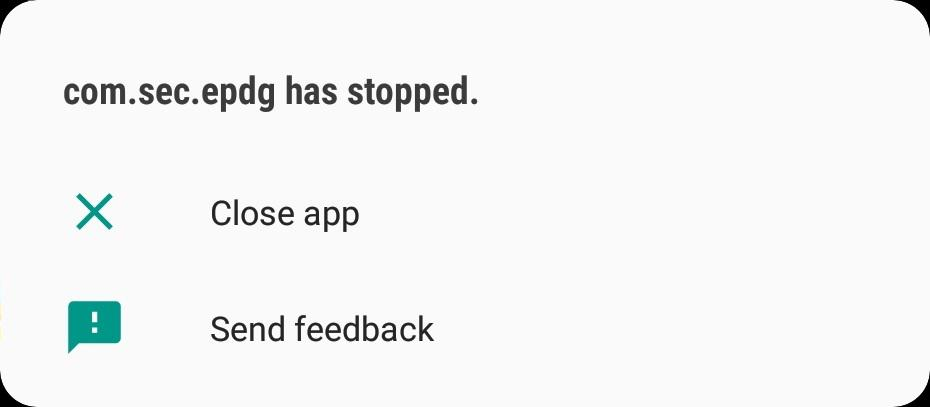
Some users encounter errors referencing com.sec.epdg when WiFi Calling fails to register. Common error patterns include “IMS not registered” or a persistent WiFi Calling toggle that refuses to activate. These errors originate from the IKEv2 or EAP-AKA’ handshake failing, not from the Samsung software itself being broken — the carrier’s ePDG endpoint or a network firewall is usually the point of failure.
How to Troubleshoot com.sec.epdg Issues
Check WiFi Calling Settings First
Go to Settings, then Connections, then WiFi Calling, and confirm the feature is enabled and your carrier supports it on your plan. Some carriers require you to register your address for emergency calls before WiFi Calling activates, which blocks the ePDG tunnel from forming.
Check Your WiFi Network
Ensure the network you’re connected to is not blocking UDP 500 or UDP 4500. Enterprise networks, hotel networks, and heavily firewalled home routers sometimes block these ports. Switching to a different WiFi network or temporarily enabling your router’s VPN passthrough is a quick way to test this.
Clear the IMS Service Data
In Settings, go to Apps, show system apps, find IMS Service or IP Multimedia Service, and clear its cache and data. Reboot the device. This forces a fresh IMS registration and often resolves stuck WiFi Calling states.
Reset Network Settings
A full network settings reset (Settings, General Management, Reset, Reset Network Settings) will clear all saved WiFi, Bluetooth, and mobile network configurations and force com.sec.epdg to renegotiate everything from scratch. Note that this removes all saved WiFi passwords.
Should You Disable or Remove It
No. com.sec.epdg is a system process and cannot be uninstalled through normal means. Disabling it via ADB or a root method will break WiFi Calling entirely and may cause instability in IMS-related services including VoLTE on some configurations. Unless you are a developer deliberately testing telephony behavior, there is no reason to touch this process. Its presence on your device is normal, its resource usage when idle is effectively zero, and its function — keeping your calls and data secure when on WiFi — is genuinely useful.
Summary
com.sec.epdg is Samsung’s implementation of the 3GPP ePDG client, enabling WiFi Calling by building an IKEv2/IPsec tunnel from your handset to your carrier’s network over any WiFi connection. It uses SIM-based EAP-AKA’ authentication, requires UDP ports 500 and 4500 to be open, and connects internally to the carrier’s PDN Gateway over the S2b interface. It is a normal, expected system process on Samsung devices, consumes no meaningful resources when not in use, and should not be disabled.